
Overview
When using Shiptheory orders can be marked as ignored, this is because it hasn't matched any shipping rules that you have. This is easy to change as all that needs to be done is adjust your shipping rules so that future orders can match those rules.
Setup
Route 1: Tweak an existing rule
- Navigate over to Setting - Shipping Rules and then choose the rule you wish to change/ find which one ignored your shipping order.
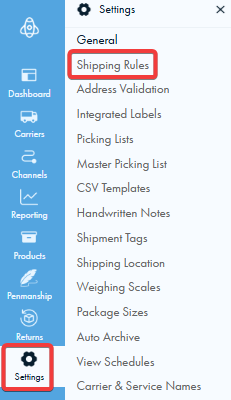
- Find which carrier and service you wanted it to match, make sure that all the conditions match what was on the order that went into ignored
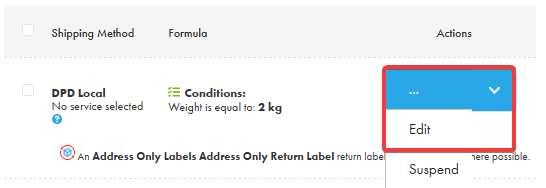
- When inside go to section 2, edit formula and change the condition to fit the shipping order you need.
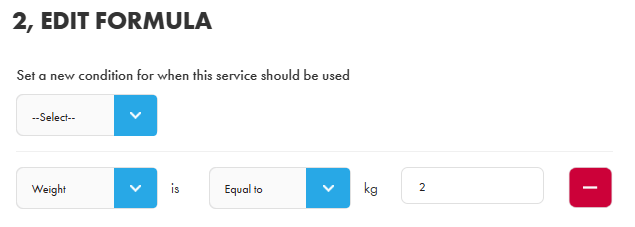
- When done scroll to the bottom and save the new conditions.

Route 2: The other method is creating a new rule, this article will go through the steps.
Test to see if it worked
Finally, you can make sure that the rule worked by retrying the order, and it should now match the rule if all the criteria set is matched.
If you encounter any issues, please feel free to contact our support team. You can call us on 0117 403 4313 (UK) / +1 (629) 666-6726 (US) or reach us online here.