
- TABLE OF CONTENTS
Different parcel options for Shipment
In Shiptheory, you can specify shipment parcels in two ways: by using Shiptheory packages or by using Format.
Method 1 - Ship with Shiptheory packages
Shipping with Shiptheory offers great flexibility, allowing you to choose the type of package, the quantity, and the weight for each shipment. In contrast, Format only lets you send one type of package.
The following demonstrates the steps to ship with Shiptheory package
Step 1 - Create package with DX's valid names
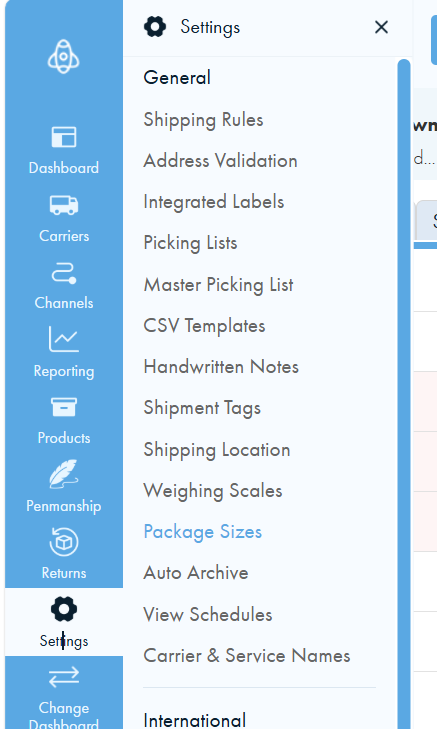
Go to Settings > Package Sizes,
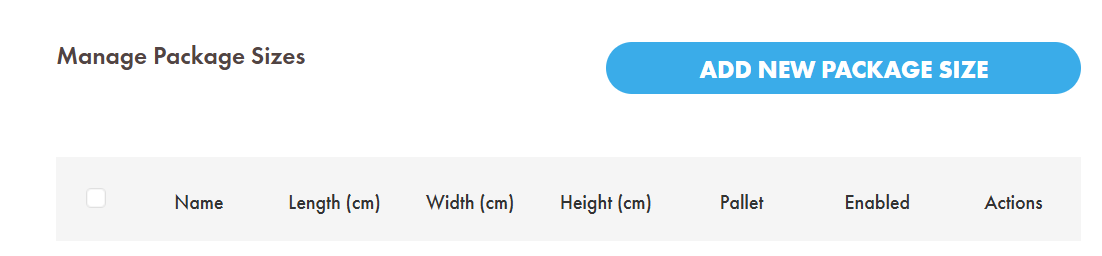
In the next page, click Add New Package Size
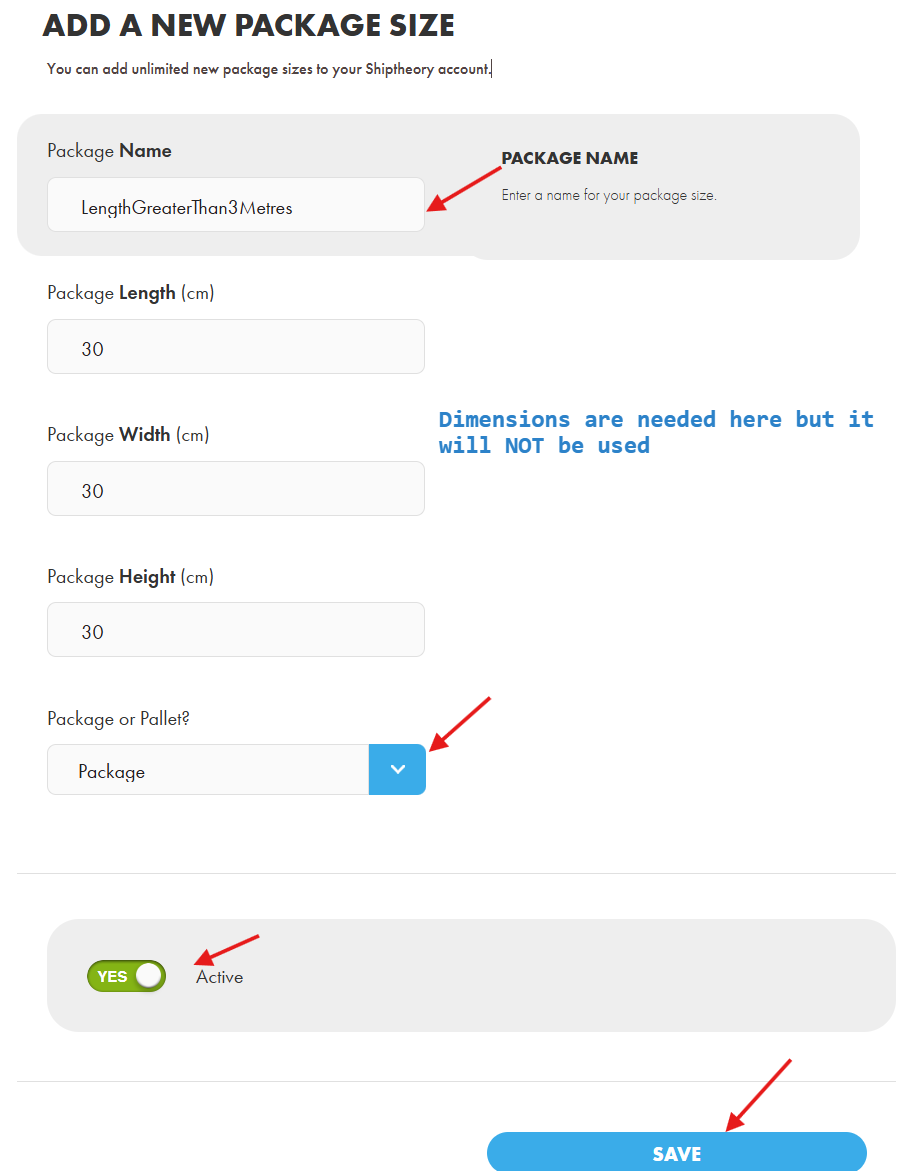
Please name your package using one of the following options, ensuring the case matches exactly:
- CartonKG
- Kilos
- Length
- LengthGreaterThan3Metres
- IDW
- Pallet
- Nightpak
- Docpak
- CartonCA
- Eurobag
Enter the dimensions, although they will not be used, as specifying the package name is sufficient. Ensure it is set to Package and marked as Active, then click Save to finalize the creation.
Step 2 - Use the package in shipping
The following demonstrates the newly created package in the Shipping Rule. You can also use the package in a manual shipment, which works in a very similar way.
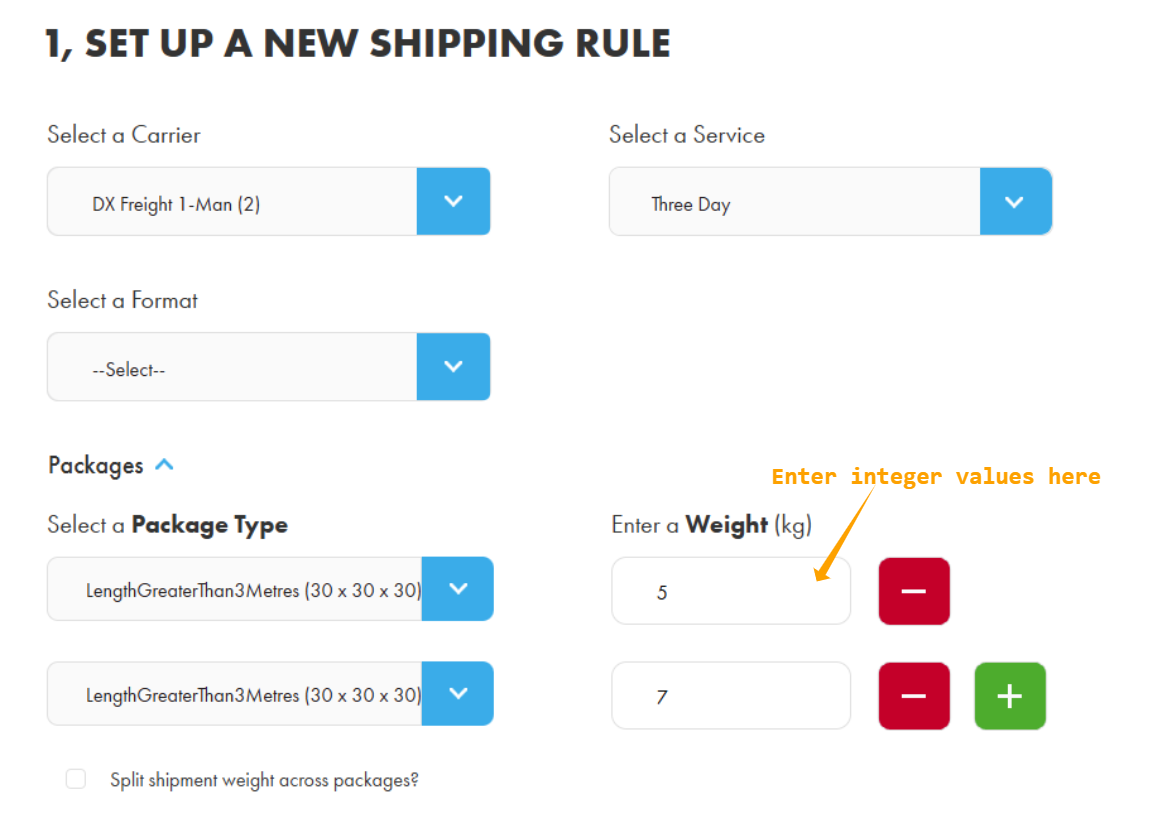
In the above example, the shipment will contain two LengthGreaterThan3Metres packages weighing 5 kg and 7 kg respectively.
Finally, DX requires the package weight to be an integer. If a non-integer value is entered, it will be rounded down to the nearest whole number.
Step 3 - Weight option only applies to Format
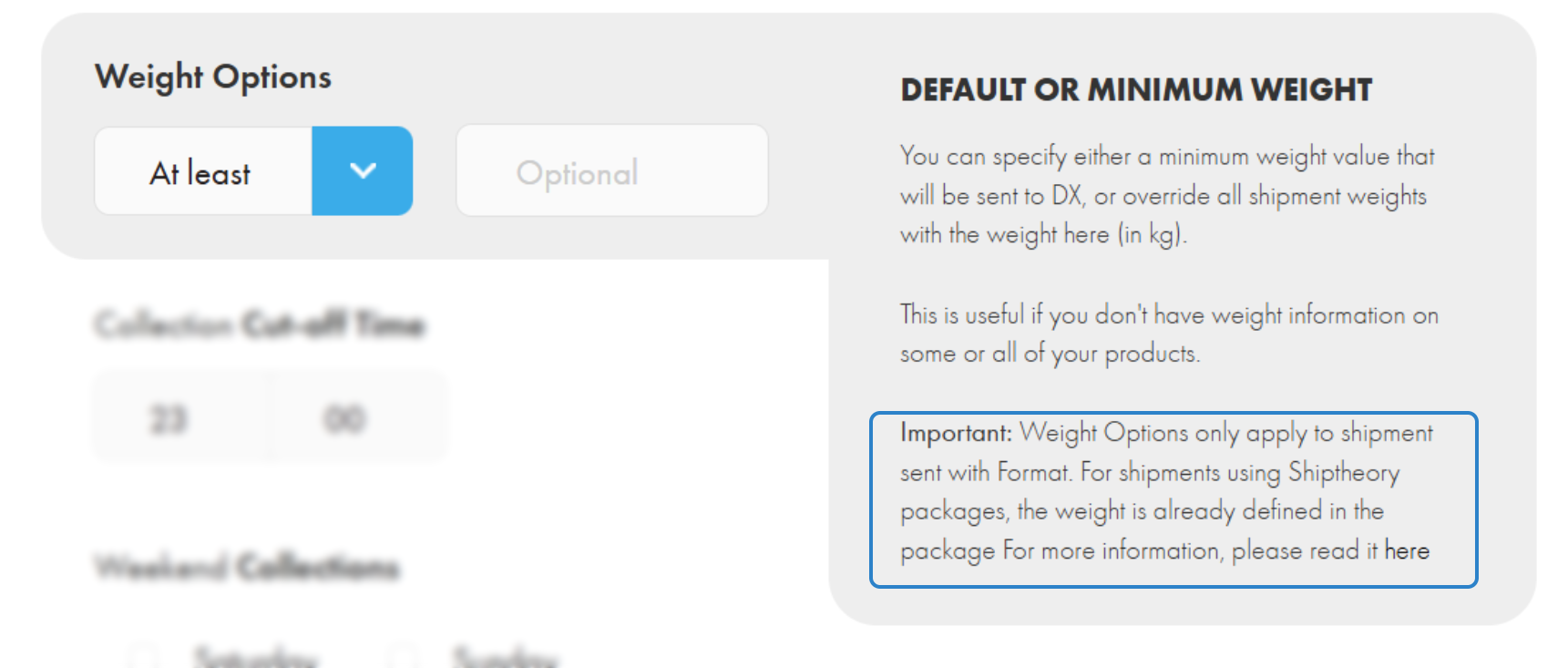
The default weight setting only applies to shipments sent with Format, as each package already has its weight specified.
Method 2 - Ship with Format
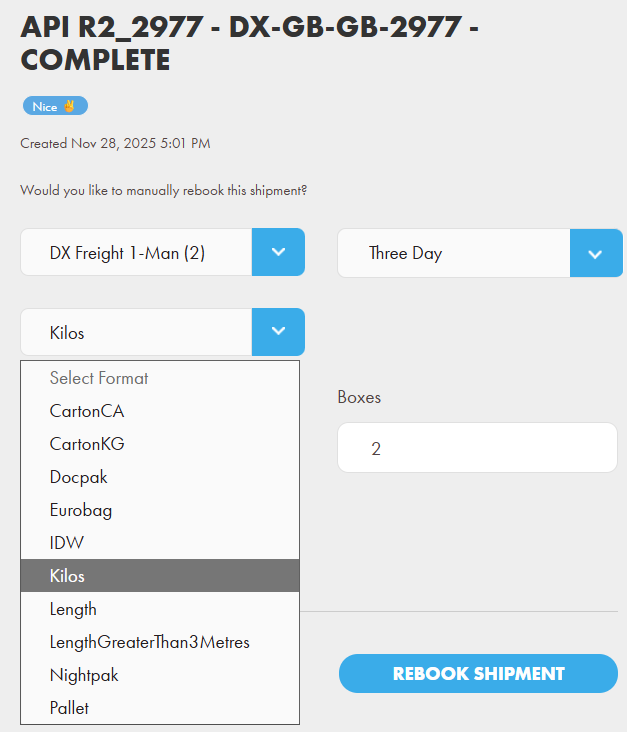
If your shipment only contains one type of package, you can specify it using Format as shown below. For example, the following shipment contains 2 boxes of Kilos.
If you encounter any issues, please feel free to contact our support team. You can call us on 0117 403 4313 (UK) / +1 (629) 666-6726 (US) or reach us online here.